
Best EMF Meters for 2026: 7 Detectors Compared
*The information on EMF Academy is for educational purposes only and is not a substitute for professional medical advice. Please review our full Medical Disclaimer for more details. This post may contain affiliate links. Please see my disclosure to learn more.
My first question when choosing an EMF meter is simple: what do you want to measure? A router, a power cord and a cell tower call for different measurement capabilities. Buying a meter with the wrong sensor or frequency range can leave you with a reassuring low reading that tells you very little.
For home surveys, I would start with the TriField TF2 if you want a dial and a straightforward display, or the GQ EMF-390 if you want saved readings and graphs. The ERICKHILL RT-100S is worth considering for its simultaneous display and rechargeable battery, provided its narrower RF range covers the devices you want to check.
This guide compares seven detectors and explains the tradeoffs behind those choices. No meter here covers the entire electromagnetic spectrum. A field reading also does not diagnose a health problem or, by itself, establish that a home is safe or unsafe.
Updated October 7, 2026. Specifications were checked against the manufacturers’ pages and manuals linked below. The original photos and demonstrations remain in the guide. This update is a specification and usability comparison; we did not conduct a new calibrated, side-by-side accuracy test of all seven meters.
Affiliate disclosure: This article contains affiliate links, and we may earn a commission when you buy through them. As an Amazon Associate I earn from qualifying purchases. Recommendations reflect the intended use and stated specifications, rather than the size of the commission.
Quick comparison: seven EMF meters
The useful distinction is between combination meters, which have RF, electric-field and magnetic-field modes, and RF-only meters. In this guide, EF and MF refer to the separate electric- and magnetic-field measurement modes; they are not a claim that the meter detects every frequency.
EMF Meters: Specifications and Buying Criteria for 2026
| Product | Fields measured | Stated RF range | Useful for | Important limit |
|---|---|---|---|---|
| GQ EMF-390 | RF / EF / MF | 10 MHz–10 GHz | Logging and graphs | Spectrum display uses selected bands |
| TriField TF2 | RF / EF / MF | 20 MHz–6 GHz | Dial-based spot surveys | EF and RF are single-axis |
| HF35C | RF only | 800 MHz–2.7 GHz | Directional RF surveys | Excludes 5 GHz and 6 GHz Wi-Fi |
| Acoustimeter AM11 | RF only | 200 MHz–8 GHz | Peak and average RF displays | AM-10 photos; AM11 listing unavailable at check |
| Cornet ED88TPlus | RF / EF / MF | 100 MHz–8 GHz | History and frequency display | Counter stops at 2.7 GHz; listing unavailable at check |
| ERICKHILL RT-100S | RF / EF / MF | 50 MHz–3.5 GHz | Simultaneous readings; USB-C | Excludes 5 GHz and 6 GHz Wi-Fi |
| LATNEX HF-B3G | RF only | 50 MHz–3.5 GHz | Three-axis RF sensor | Excludes 5 GHz and 6 GHz Wi-Fi |
The table uses manufacturer-stated ranges, not numerical accuracy rankings. Display resolution, frequency coverage and measurement accuracy are different things. For example, the GQ EMF-390 has a broad stated RF detection range, but its frequency-resolving spectrum display covers only selected bands.
1. GQ EMF-390: for logging and graphs
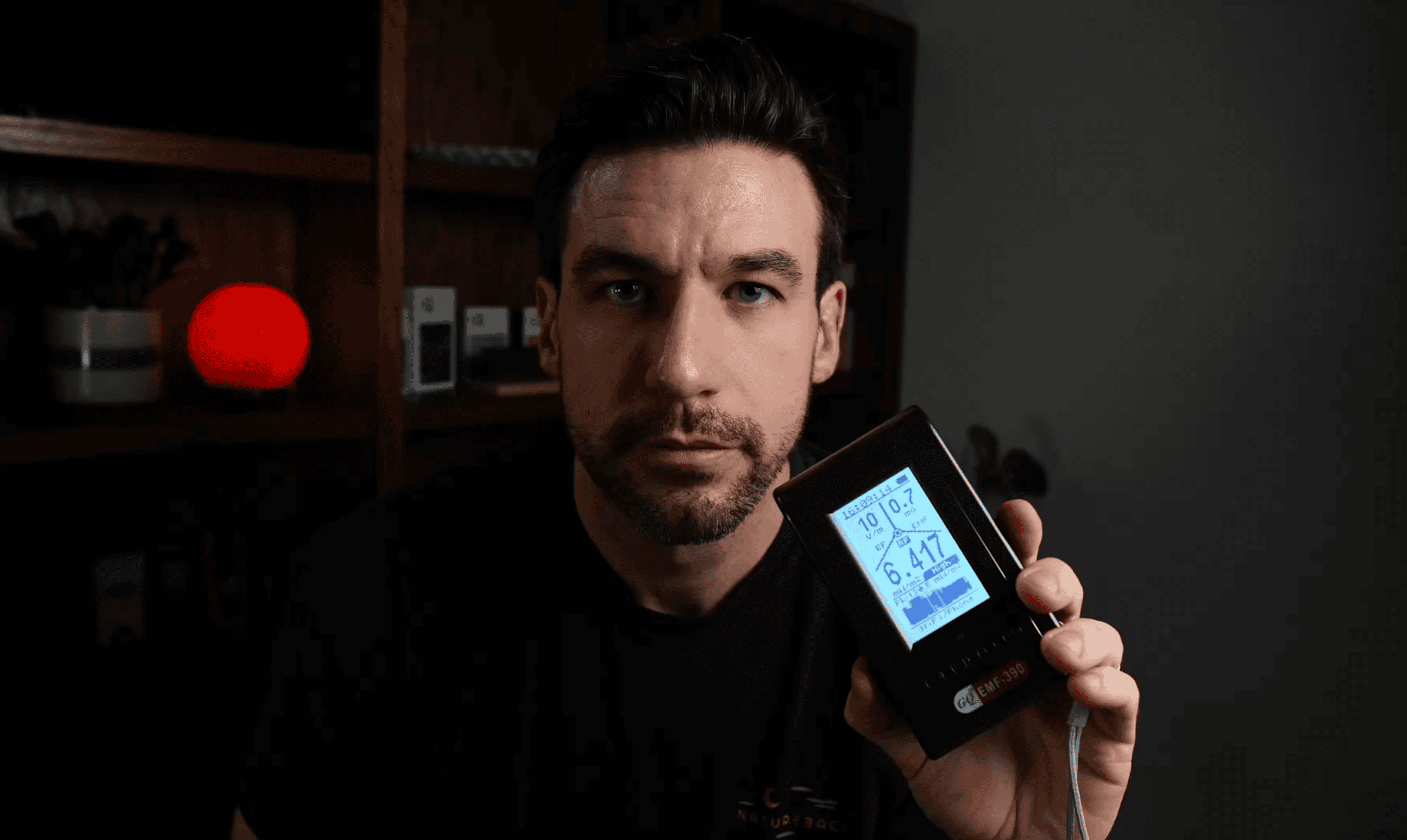
Check the GQ EMF-390 listing on Amazon. The reason I keep this meter in my toolkit is the amount of information it puts on screen. In the original review, I particularly liked seeing electric, magnetic and RF readings together instead of switching between them.
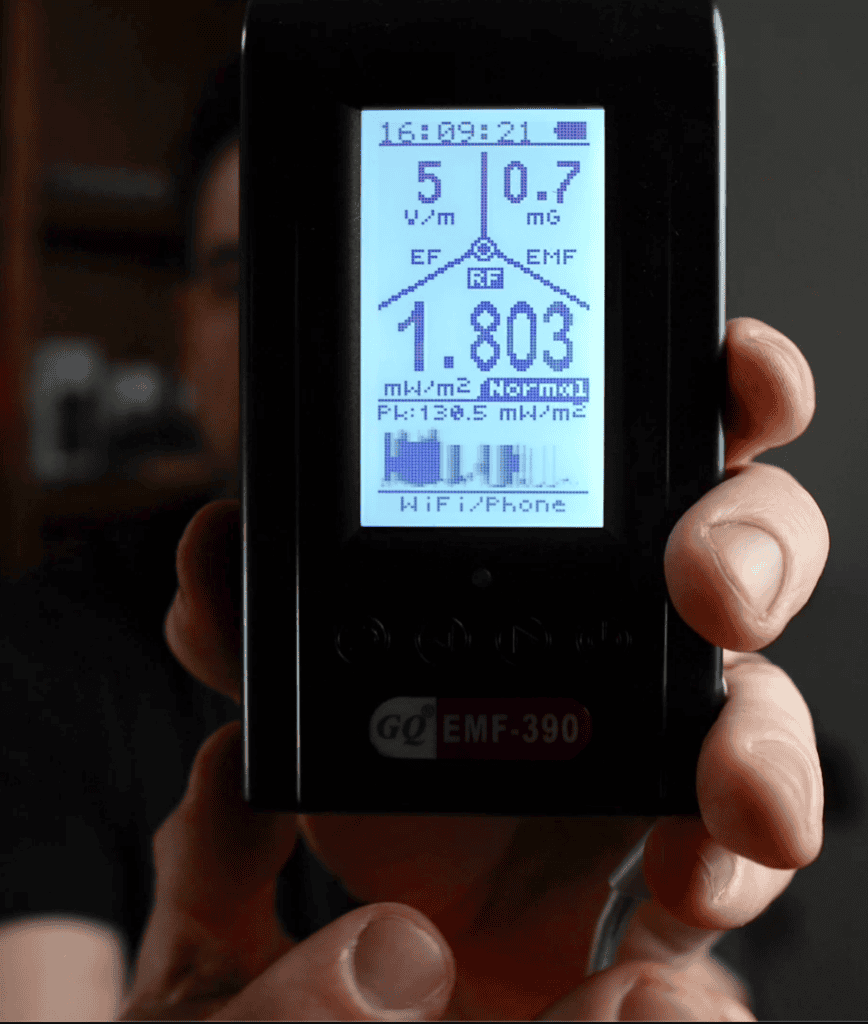
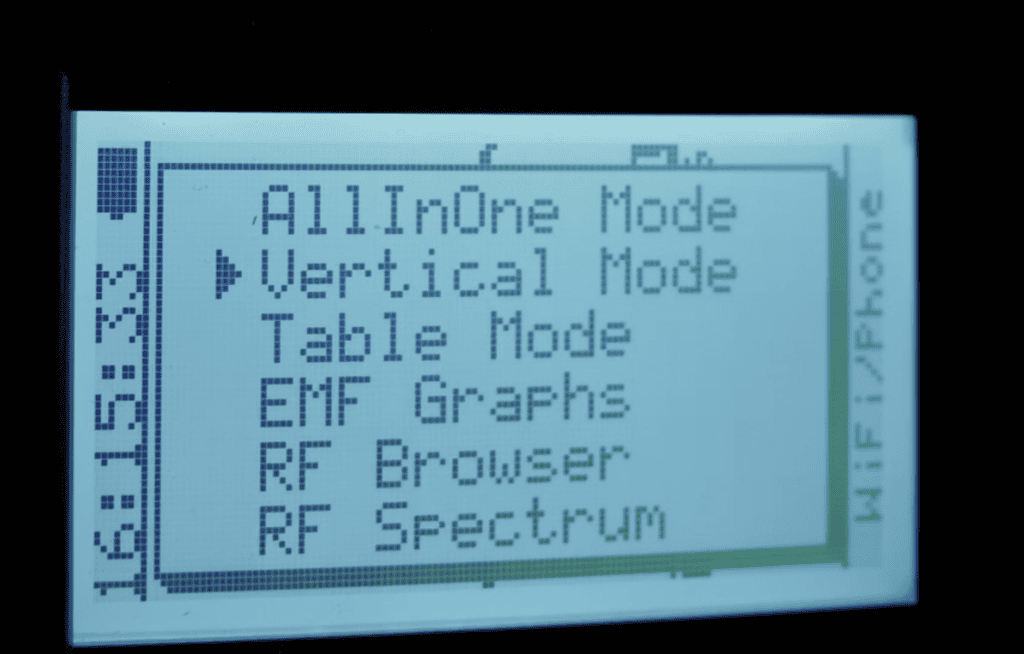
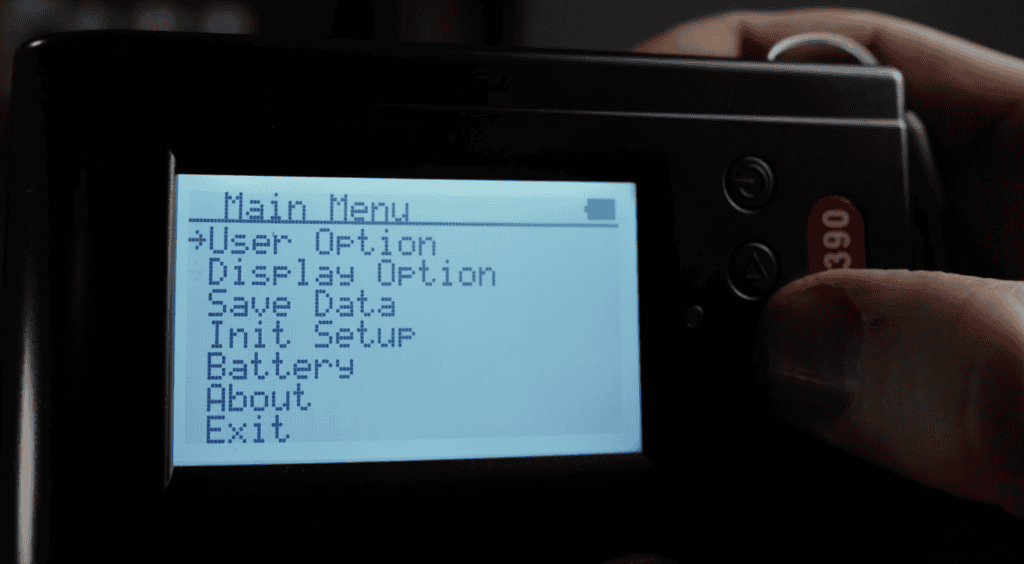
The GQ user guide lists RF detection from 10 MHz to 10 GHz for the EMF-390, a three-axis magnetic sensor, stored readings and a USB connection for downloading data with its PC software. That makes it a useful option when a brief spot reading is not enough and you want to look back at changes over time.
The catch is the spectrum display. Its selected bands include 2.4–2.5 GHz; it is not a continuous 10 GHz spectrum analyzer. Do not read the broad RF detection specification as a promise that the screen will identify every signal’s frequency, network or source.
The same manual lists RF accuracy as ±10 dB. That is a substantial tolerance, and one reason I would not turn a wider frequency range into a claim of better accuracy than every other meter here. The “safety suggestion” and alarm displays are device settings, not an individual health assessment.
Here is my original walkthrough of the GQ EMF-390’s screens and controls:
My take: Choose the GQ when logging and menus will help you answer a specific question. Choose the TF2 when you would rather turn a dial and take a reading. See the current GQ EMF-390 listing.
2. TriField TF2: for straightforward home surveys
Check the TriField TF2 listing on Amazon. The TF2 has been a regular recommendation here because its front dial makes it easy to see which field you are measuring. In my original review, I found the display and peak indicator easy to follow.

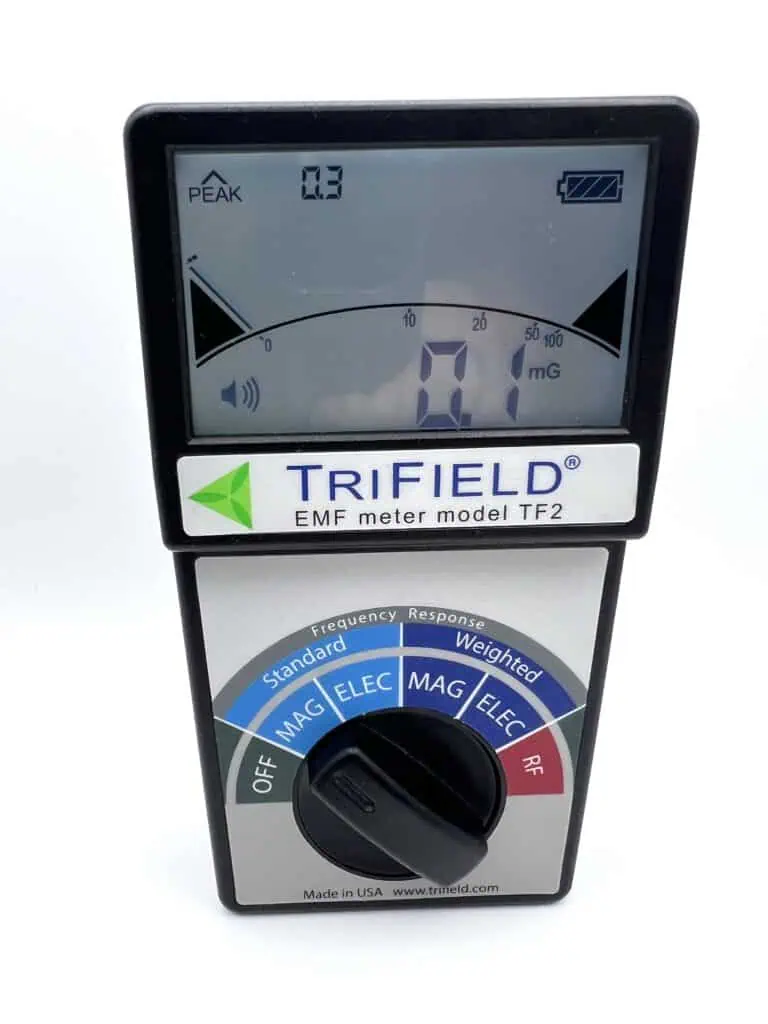

According to TriField’s specifications, its AC electric- and magnetic-field modes cover 40 Hz–100 kHz, and its RF mode covers 20 MHz–6 GHz. Its magnetic sensor is three-axis. Its electric-field and RF sensors are single-axis, so orientation still matters in those modes.
The backlight, sound indicator and peak hold are useful for looking for changes without staring at the display continuously. My main complaint from using the TF2 remains the position of the backlight and audio buttons under the battery cover, shown below.

The weighted electric- and magnetic-field modes apply frequency weighting to the external field reading. They do not directly measure an internal body current or a phone’s specific absorption rate (SAR). Use the standard modes for ordinary field-strength comparisons, and follow the manual when you have a reason to use weighting.
Limits to keep in mind: A 6 GHz upper limit does not cover the whole 6 GHz Wi-Fi band, and it does not cover millimeter-wave signals. The TF2 is also a spot-survey tool rather than a built-in logging system.
My original TF2 demonstration shows the dial, display and measurement modes:
If you want a closer look at the controls, read the full TriField TF2 review. Compare its current Amazon listing with the GQ before choosing between simplicity and saved data.
3. Gigahertz HF35C: directional RF measurements
Check the HF35C listing on Amazon. This is an RF-only instrument with an external directional antenna. It is worth considering when you want to compare responses from different directions within its supported band. It does not replace an electric- or magnetic-field meter.
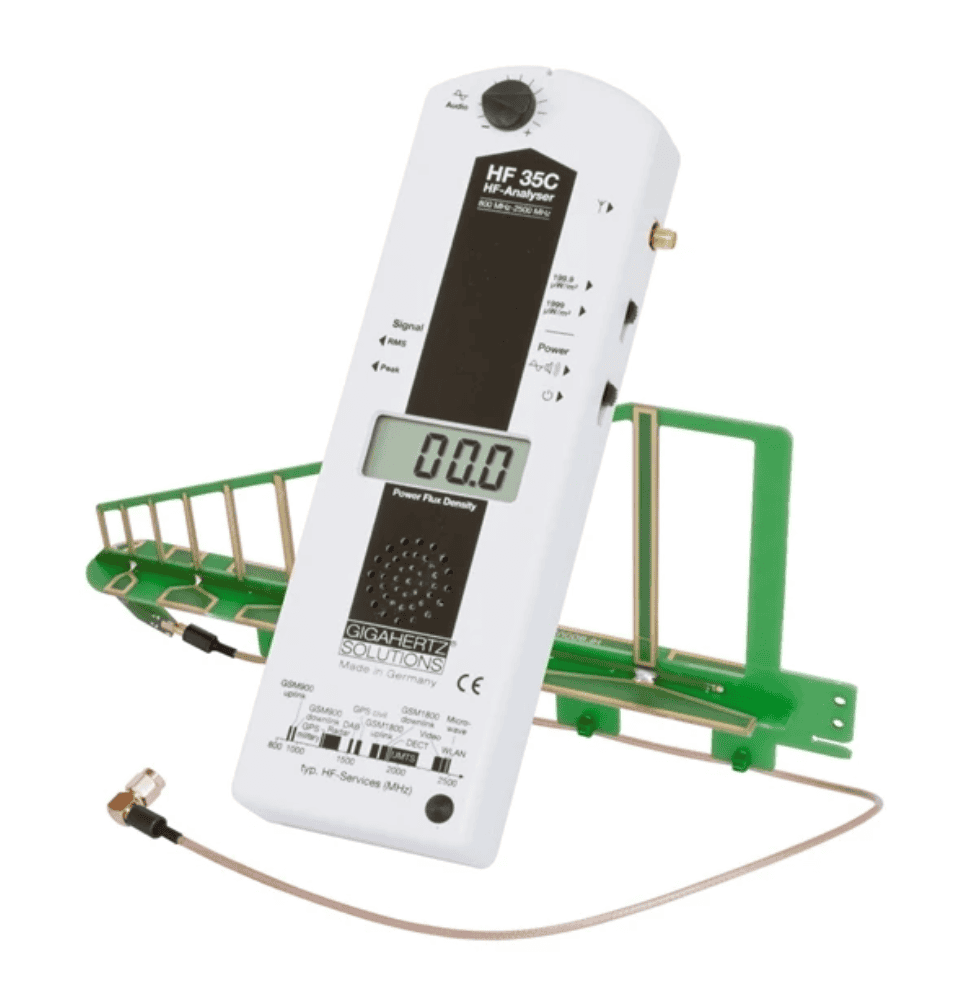
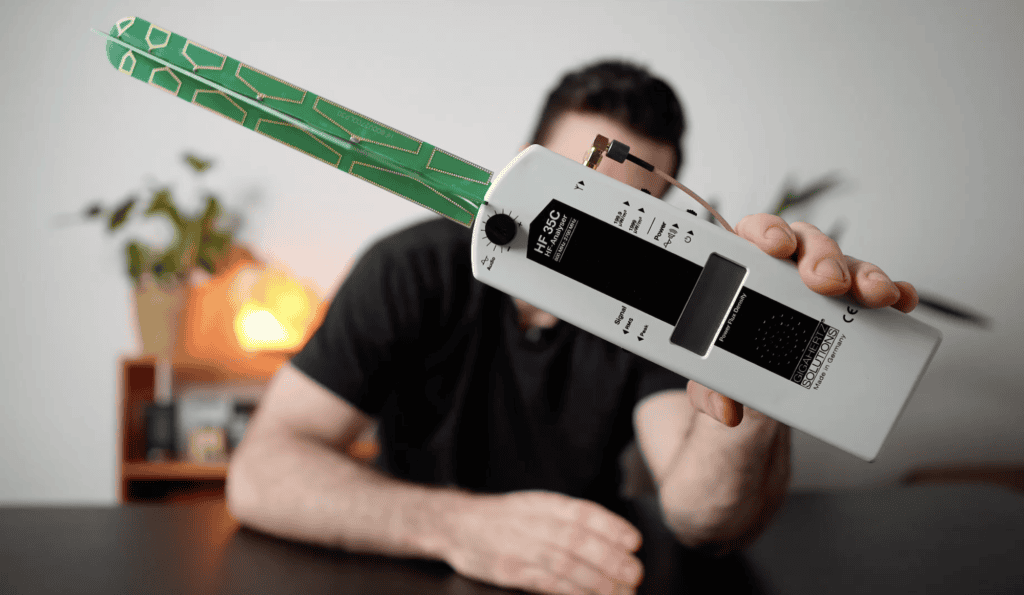
The Gigahertz Solutions specification gives a frequency range of 800 MHz–2.7 GHz and power-density range of 0.1–1999 µW/m². That includes 2.4 GHz Wi-Fi, but excludes 5 GHz and 6 GHz Wi-Fi, frequencies below 800 MHz, and signals above 2.7 GHz.
The selectable peak and average readings and audio output are useful features. The manufacturer states basic continuous-wave accuracy of ±6 dB, with a separate ±9-digit zero-point/digitizing error. Those are two different specifications, not “6 dB accuracy across nine digits,” and they do not establish that this is the most precise meter in the comparison.
Here is my original HF35C overview, including the antenna and controls:
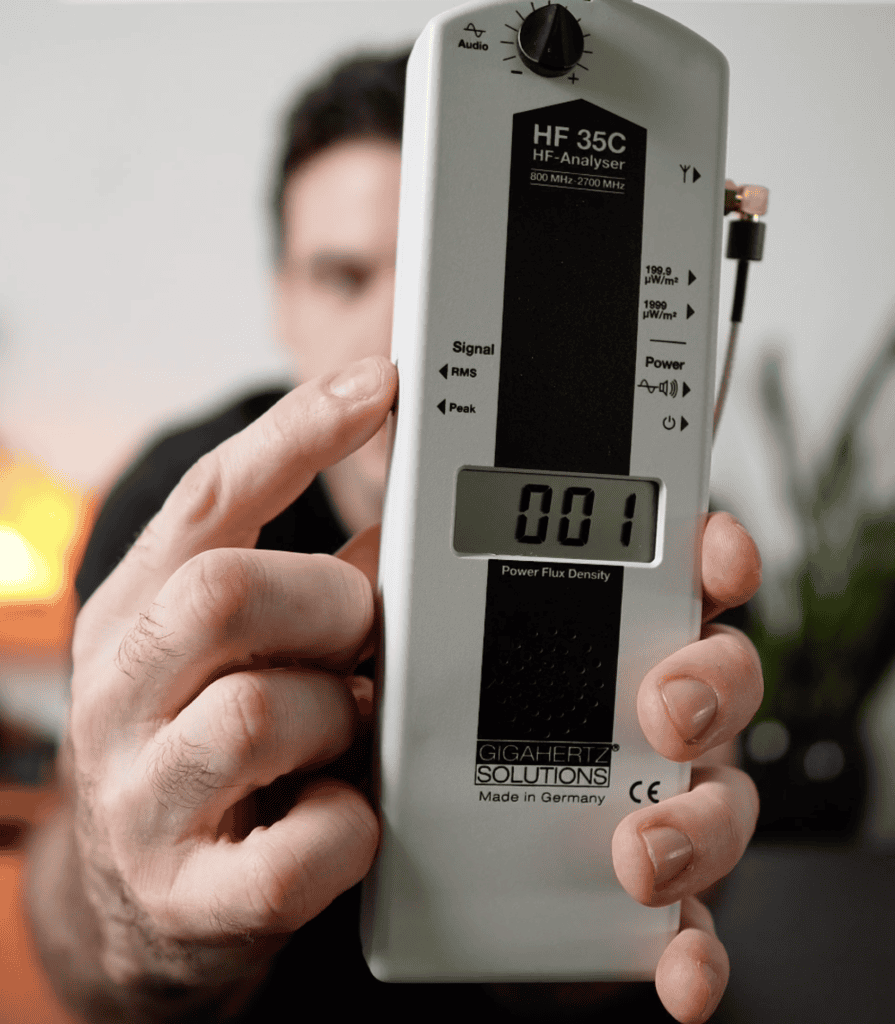
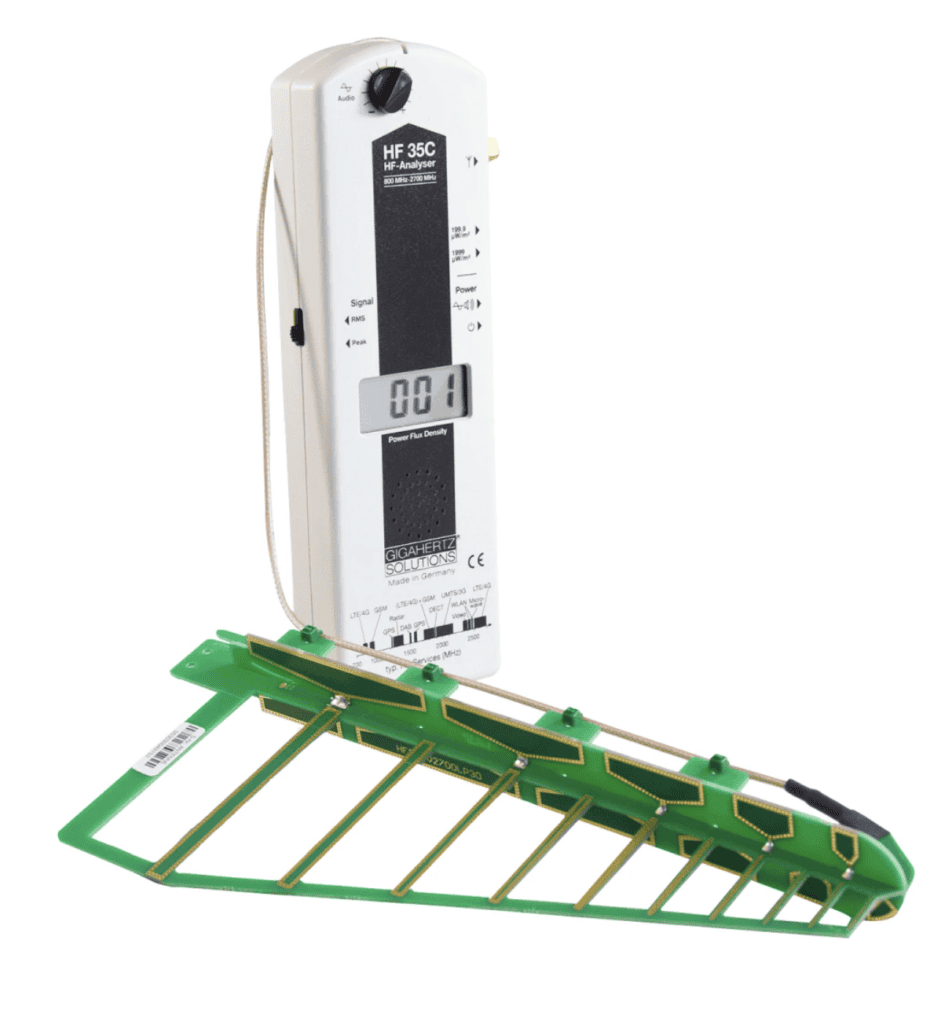
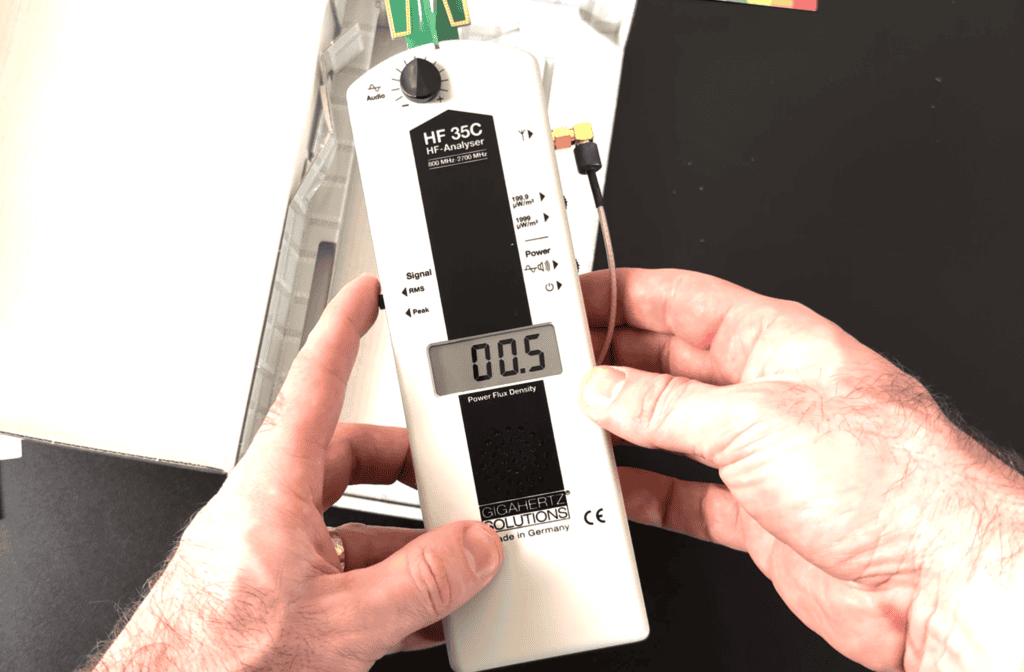
Pointing the antenna in different directions can help you find a stronger response. Reflections, polarization and nearby objects can also change that response, so a peak toward a wall is not proof that a particular neighbor’s router caused it. Start with a source you can control and repeat the measurement.
My take: Buy it for directional work in the stated band. For broader Wi-Fi coverage or power-frequency fields, pick an appropriate separate meter. See the HF35C listing and included accessories.
4. Acoustimeter: AM11 versus the older AM-10
Check the model before buying. The existing Amazon listing now identifies an AM11 and was unavailable when checked on October 7, 2026. The photos below show the older AM-10 from the original article. They are retained to explain that earlier unit, not as photos of the AM11.
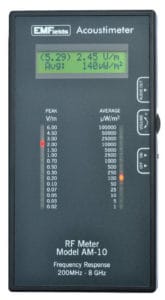

The current EMFields AM11 specification lists 200 MHz–8 GHz RF measurement, separate peak and average indicators, peak hold, a speaker and a headphone socket. It is RF-only; it does not provide the separate low-frequency electric- and magnetic-field modes of the combination meters.
EMFields’ AM11 comparison with the AM10 describes changes to frequency and pulse response, plus individual calibration of the newer model. That is useful model information, not evidence that we have independently tested the AM11 against every competitor. The manufacturer also tells users to change its angle to find the strongest reading; it is not an orientation-independent detector.
In the original AM-10 review, I liked watching the peak LEDs and then checking the numerical display. The pictured screen separates peak hold, current peak and average power density. Keep those quantities distinct when comparing readings, and use the manual for your own unit.
My take: Consider the current AM11 for RF-only work if you want separate peak and average information. Confirm availability, warranty and the exact model with the seller. Do not pay for an AM11 expecting a low-frequency survey meter, or assume an AM-10 photo proves the newer model was tested here.
5. Cornet ED88TPlus: combination meter with a frequency display
The linked Cornet listing identifies ED88TPlus and was unavailable when checked on October 7, 2026. Cornet also has Plus5G and other versions. The model suffix matters; specifications for those versions should not be mixed together.

The ED88TPlus v2.0 manual lists 100 MHz–8 GHz broadband RF measurement, separate electric- and magnetic-field modes, sound, logging and a histogram of recent readings. Its frequency display is narrower: 100 MHz–2.7 GHz. Detecting RF power at 5 GHz does not mean it can show that signal’s frequency on the counter.
Cornet’s manual index separates the different versions, including Plus5G models with a different counter range. Verify the manual and model printed on the unit before relying on sampling-rate, counter or logging claims from a seller’s listing.
My original review found the button combinations less obvious than the TF2’s dial. I also preferred a more prominent milligauss reading in magnetic mode. Those are usability preferences, not evidence that Cornet’s measurements are less accurate.
My take: This is useful to compare if you want the extra history and frequency-display functions. Match the exact version to the features you need and find a confirmed source of stock before treating it as a ready-to-buy option.
6. ERICKHILL RT-100S: rechargeable combination option
Check the ERICKHILL RT-100S listing on Amazon. Its simultaneous display and Type-C charging make it a convenient option to compare with the more expensive combination meters. Check the current selling price before calling it the budget choice; a price advantage is useful only if the meter covers your intended measurements.
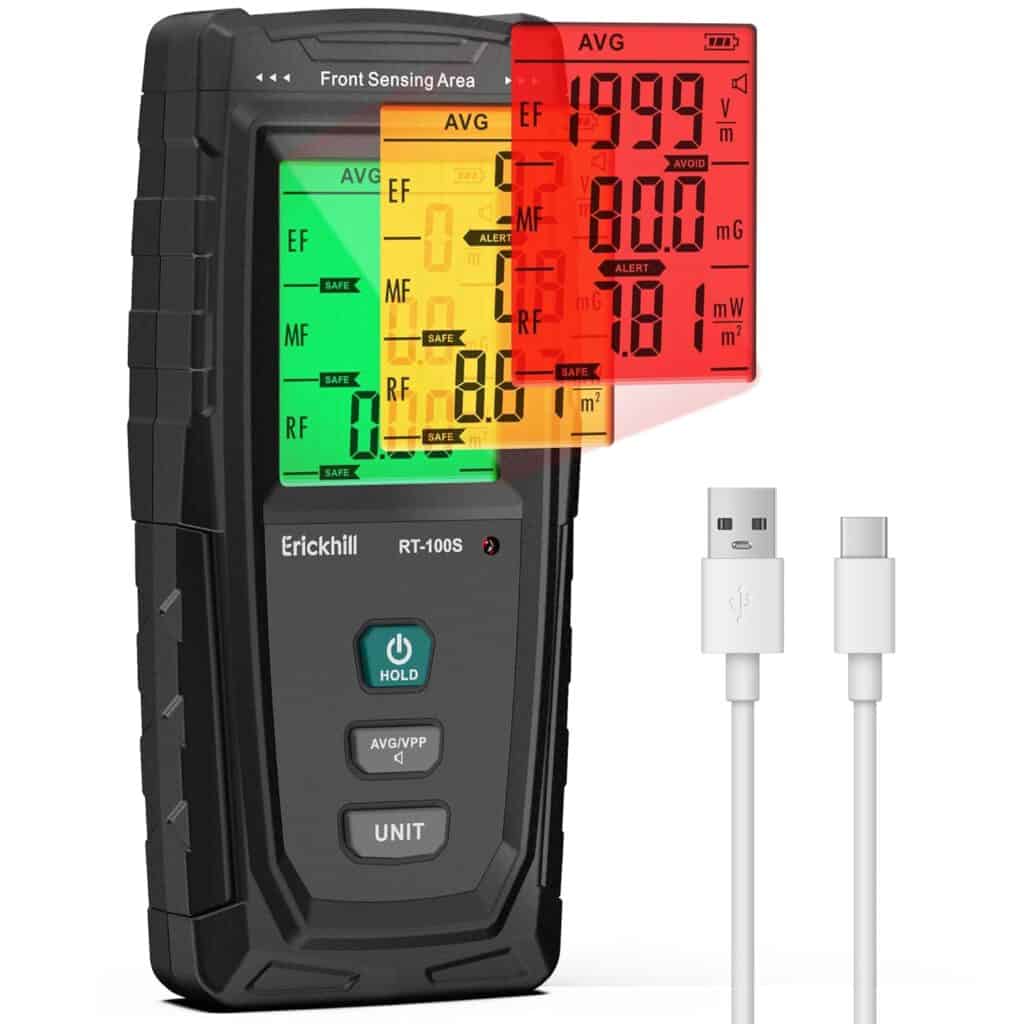
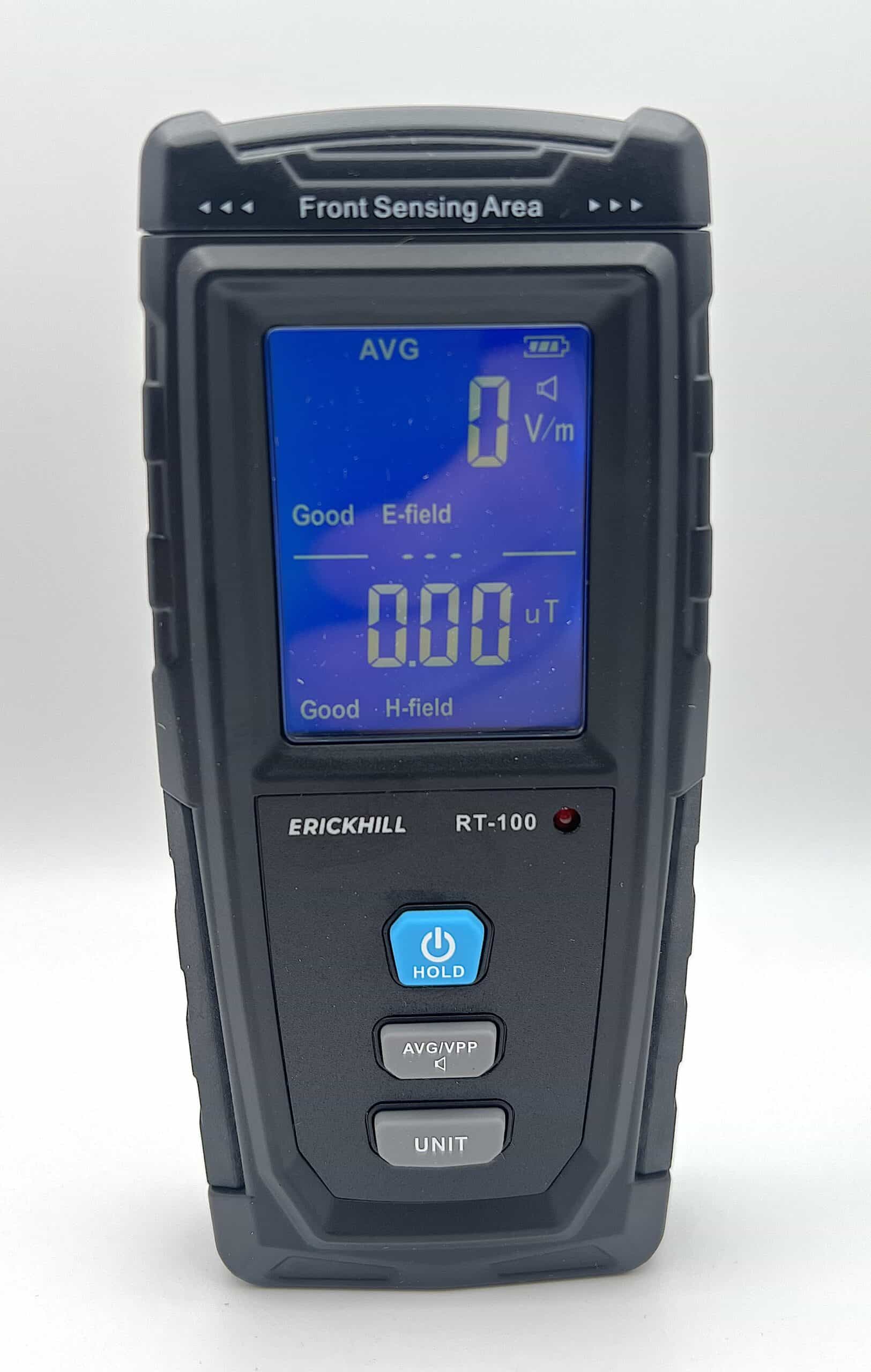
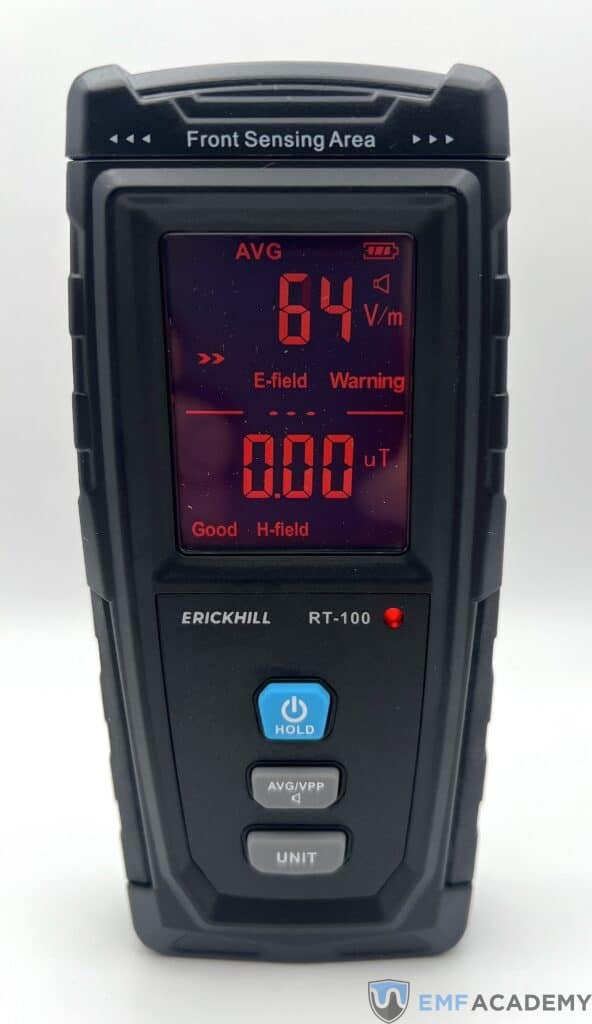
The RT-100S manufacturer page confirms electric, magnetic and RF readings on one screen and specifies 50 MHz–3.5 GHz for RF. This covers 2.4 GHz Wi-Fi, but not 5 GHz or 6 GHz Wi-Fi. An RF “5G” label should not be read as coverage of every cellular band.
The manufacturer gives RF resolution as 0.01 mW/m², which is 10 µW/m². Resolution is the smallest displayed increment; it is not proof of accuracy or a guarantee that every short pulse will be recorded. The stated sampling time is about 0.4 seconds.
The green, orange and red indicators and sound alerts can make changes easy to notice. They use the product’s alarm settings. Green does not certify that a room is safe, and red is not an instruction to diagnose a hazard from the color alone.
My take: Consider it when the simultaneous display and charging convenience matter and its RF range is sufficient. We have not established a calibrated accuracy ranking against the TF2, and we are not carrying forward an unsupported claim that every RT-100S sensor is single-axis. Follow its positioning instructions.
7. LATNEX HF-B3G: three-axis RF-only measurements
Check the LATNEX HF-B3G listing on Amazon. This belongs in the RF-only group. Its three-axis RF sensor is a meaningful difference from the TF2’s single-axis RF sensor, even though the TF2 adds other field modes.

The LATNEX specification gives a frequency range of 50 MHz–3.5 GHz, an isotropic three-axis RF measurement method, maximum/average displays and manual storage for up to 200 data sets. It does not include separate low-frequency magnetic- or electric-field measurements.
The range includes 2.4 GHz Wi-Fi, but excludes 5 GHz and 6 GHz Wi-Fi and cellular frequencies above 3.5 GHz. The stated 1.5 readings per second is another reason to distinguish a displayed average or maximum from a full characterization of a rapidly changing signal.
My take: Consider the HF-B3G when RF sensor orientation and manual saved readings matter more than combination modes. A three-axis sensor reduces one positioning issue; it does not eliminate the effects of location, reflections, signal variation or measurement technique.
How I would choose between these meters
For a first general home survey: I would compare the TF2 and GQ. The TF2 has the simpler dial. The GQ offers more display options and saved data, but takes more time to learn. Both have limitations, and neither measures every possible field or signal.
For a lower-cost combination option: Compare the RT-100S’s current price and range with those two. If your main question involves 5 GHz or 6 GHz Wi-Fi, its 3.5 GHz RF ceiling rules it out for that part of the survey regardless of price.
For RF-only work: The HF35C offers a directional antenna in a narrower band. The AM11 offers separate peak and average information across a broader stated band. The HF-B3G offers a three-axis sensor but stops at 3.5 GHz. Those are different jobs, not a universal first-to-last accuracy ranking.
Before ordering, confirm the exact model, stated measurement uncertainty, intended frequency band, seller, return policy and available support. If you need a formal compliance assessment or an explanation for a medical concern, a consumer meter comparison does not replace the appropriate professional evaluation.
What about 5G and newer Wi-Fi bands?
“5G” is a cellular technology label, not a single frequency. Start with the transmitter’s actual band and compare it with the meter’s documented range. A broadband reading also does not identify a signal as 5G just because it is inside that range.
On frequency coverage alone, a 3.7 GHz signal is outside the RT-100S’s and HF-B3G’s 3.5 GHz ceilings and the HF35C’s 2.7 GHz ceiling. It is within the stated RF ranges of the TF2, GQ EMF-390, ED88TPlus and AM11. That comparison is a range check, not a validation of each meter’s response to the signal.
None of the stated ranges in this guide reaches 24 GHz or above. If that is the band you need to measure, you need an instrument explicitly specified for it. Do not treat “above 2.7 GHz” as another name for millimeter wave.
For Wi-Fi, Intel’s band overview distinguishes 2.4 GHz, 5 GHz and the newer 6 GHz band. Check your router’s enabled band and channel. A meter that sees its 2.4 GHz transmission can still miss its 5 GHz or 6 GHz transmission.
How to take readings you can compare
A meter is most useful when you have a clear, repeatable question. For example: does the displayed field strength change at the same location when a particular appliance is switched on? That is easier to investigate than trying to identify every source in a room from one number.
- Choose the right mode and range. Read the manual’s sensor-position instructions. Check that your target frequency is supported.
- Keep the setup consistent. Record the location, distance, orientation, mode, units, time and whether the number is a peak, average or held maximum.
- Compare controlled changes. Switch a source you own on and off when practical. Let readings settle and repeat the comparison rather than keeping one dramatic spike.
- Watch for limits. An overload indication, a low battery or an out-of-band signal can make a reading unsuitable for your comparison.
- Keep electrical work separate. Take external readings without opening outlets, wiring, appliances or electrical panels. Use a qualified electrician for suspected wiring or power-quality faults.
Do not use a casual before-and-after reading next to a phone case as a percentage of protection for your body. Changes in the phone’s transmission, placement and surrounding environment can change the reading; it is not a controlled SAR test. The FCC exposure rule distinguishes field/power-density limits from absorbed-energy (SAR) evaluation and specifies measurement context and averaging.
For health context, the FDA’s cell-phone information says the weight of scientific evidence has not linked cell-phone RF radiation with health problems. Measuring an external field is a technical observation. It does not establish the cause of symptoms or prove a health benefit from a shielding product.
Common questions
What Is an Unsafe EMF Level?
There is no single number that applies to every EMF reading. You need to know the field type, frequency, units, averaging time, measurement method and applicable exposure standard. A consumer meter’s green or red indicator is not a medical diagnosis or a compliance assessment.
For example, the FCC RF exposure limits depend on frequency and exposure category and include averaging requirements. A single peak display from a broadband consumer meter is not interchangeable with that evaluation. Personal precautionary targets should also be labeled as personal targets, rather than presented as universal medical thresholds.
What About Dirty Electricity Meters?
The term “dirty electricity” is often used for electrical noise and waveform distortion on wiring. A handheld external-field meter does not fully characterize that power quality. Appropriate power-quality instruments and a qualified electrician are needed to investigate a suspected wiring or supply problem.
Fluke explains harmonics as waveform distortion produced by nonlinear loads. Electricity does not simply remain in wiring as “unused leftover electricity.” A display on a plug-in noise meter also needs its own units, bandwidth and interpretation; it should not be confused with the external field measurements above.
Does an EMF Meter Detect WiFi?
An RF-capable meter can detect Wi-Fi signals only within its specified frequency range and measurement limits. A meter covering 2.4 GHz may miss 5 GHz or 6 GHz Wi-Fi. Check the router’s actual band and channel rather than assuming every RF meter covers every Wi-Fi signal.
For this comparison, the HF35C, RT-100S and HF-B3G include 2.4 GHz in their stated ranges but do not include 5 GHz. The TF2’s 6 GHz ceiling should not be read as full coverage of the 6 GHz Wi-Fi band.
Does an EMF Meter Measure Radiation Inside Your Body?
These meters measure external fields or estimate RF power density within their stated ranges. They do not directly measure radiation absorbed by your body, diagnose illness or replace a controlled specific absorption rate (SAR) assessment.
Which one would I start with?
For a straightforward combination meter, I still like the TF2’s dial. If you want to save measurements and work with graphs, the GQ EMF-390 is the option I would compare first. The RT-100S is a convenient alternative when its RF limit fits your needs.
The RF-only options make sense when their particular antenna, display or range solves a question the combination meter does not. Choose the measurement first, then the instrument. If a specification or model here has changed, let me know so the comparison can be corrected.


So glad I came across your site!! Great information.
Glad I found your site. I’ll be doing a lot of research here. I do want to offer a critique (hopefully, helpful). In your list of the meters above, you mention that the Acoustimeter detects all three types of EMF. However, in your review, you state that it is RF only. I presume the mistake is in the listing, and not the description. Just thought that you would like to know.
Thank you so much for catching that, you’re absolutely write, the Acoustimeter only detects RF radiation. I’ll make that fix, thanks again!